Skip to content
Smart Lead Tech
Home
Services
Our work
Saudi Arabia
About us
Blog
Contact us
🇸🇦العربيةContact now
Smart Lead Tech

Smart software solutions

Follow us

Company

  • About us
  • Our work
  • Our services
  • Saudi Arabia
  • Restaurant POS
  • Contact us
  • Book a call

Quick links

  • Blogs
  • Pricing
  • Refund policy
  • Privacy policy
  • Terms and conditions
  • Data deletion

Contact us

  • Egypt — Head Office

    Office 6, Bldg 23, Makkah Al-Mukarramah St., Omraneya, Giza 3540203, Egypt
  • Saudi Arabia — Branch

    Bldg 2646, Secondary 123, Street 7697, Ishbiliyah Dist., Jubail 35416, Kingdom of Saudi Arabia
  • Email address

    help@smartleadtech.com
  • Phone number 🇪🇬

    +20 102 201 4671
  • Phone number 🇸🇦

    +966 53 044 7112

© 2026 Smart Lead Tech. All rights reserved.

  • Smart Lead Tech Information Technology LLC·Commercial Register ⁦61239⁩·Tax ID ⁦774-391-316⁩

  • Smart Lead Tech Software Establishment·CR ⁦7054902585⁩·VAT

MCP for the CTO: letting AI safely “touch” your POS, inventory and CRM

For years the problem was the same: the model is smart, but isolated. It knows everything about the world and nothing about your inventory. Model Context Protocol (MCP) is the open protocol that ended that isolation in a…

08/05/2026 — 9 min read

Diagram of a language model connected to POS and inventory systems through MCP servers

For years the problem was the same: the model is smart, but isolated. It knows everything about the world and nothing about your inventory. Model Context Protocol (MCP) is the open protocol that ended that isolation in a standard way: instead of every team writing a “custom integration” per model, you write one MCP server that exposes your tools and data, and any capable client — Claude, Cursor, or your in-house agent — can use it.

The concept in three words: tools, resources, prompts

  • Tools: actions the model can perform — “create an invoice”, “find a spare part by chassis number”.
  • Resources: data the model reads — today’s sales report, the returns policy.
  • Prompts: ready templates filled with business context — “summarise the branch’s weekly performance”.

A real example: the multi-tenant TtaKkaa panel

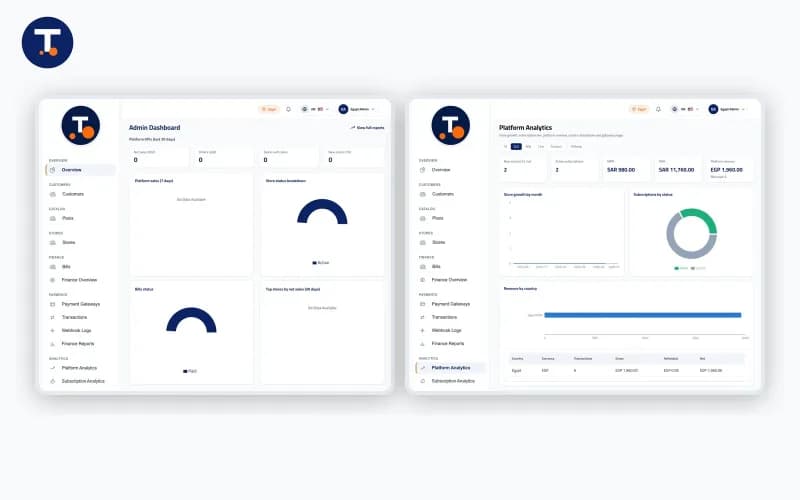
The TtaKkaa Admin Panel manages hundreds of stores, branches and subscriptions. On top of it we built an MCP server exposing a very small set of tools: read branch KPIs, open a support ticket, and suspend a subscription with human confirmation. The result: the operations manager asks in Arabic, “which branches dropped 20% this week and why?”, and gets an answer grounded in real data, not guesswork.

The golden rule: the server decides what is allowed, not the model

Do not expose “run SQL”. Expose “fetch branch sales by date”. That difference is the difference between a system and a security incident.

In AutoParts System (a huge spare-parts catalogue), the server exposes a tenant-scoped search and never a delete. Every tool carries a precise description, because the description is what the model reads to decide when to use it — a vague description means wrong usage.

The structure we recommend

  1. A domain layer that already exists in Laravel or NestJS — do not duplicate business logic inside the MCP server.
  2. A thin MCP server translating tools into domain-layer calls, with an authorisation check on every call.
  3. An audit log recording who asked for what, through which model, and the outcome.
  4. Switches on sensitive tools: anything that moves money or stock goes through human confirmation.

What about small shops?

The single-store Sanmoris system does not need ten servers. One MCP server with three tools — today’s sales, items about to run out, top ten customers — turns “AI” from a marketing word into an assistant that answers the owner on their phone every morning.

Bottom line

MCP does not make the model smarter; it makes it informed and governed. That is exactly what any serious business needs before trusting an agent to act in its name.
Share

Projects related to this article

  • AI SystemsPythonNext.jsDocker

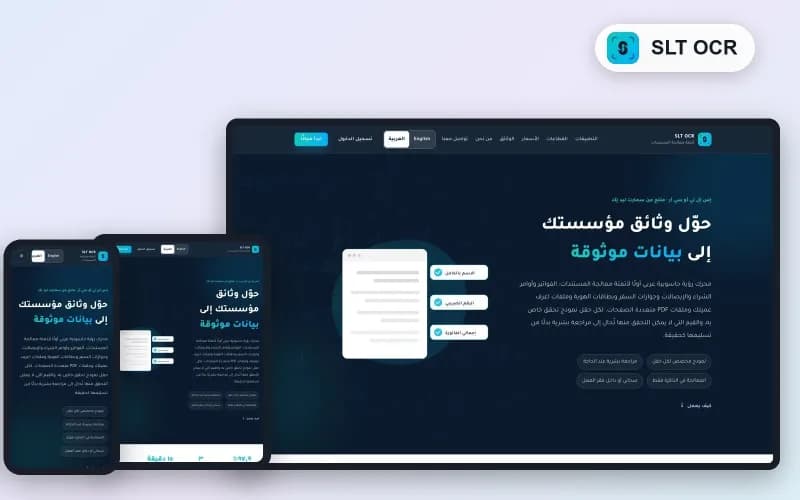
    SLT OCR — Arabic-first Document Data Extraction

    An Arabic-first computer-vision engine that turns invoices, purchase orders, receipts, ID cards and KYC packs into data you can trust — a verification model per field, human review when needed, processed in memory only.

    Show more
    SLT OCR — product landing on desktop and phone
  • POS SystemsReactLaravel

    TtaKkaa Admin Panel — Multi-tenant POS Control Centre

    Multi-tenant control centre for stores, branches, invoices and subscription plans across the entire TtaKkaa POS suite.

    Show more
    TtaKkaa Web Admin Panel — multi-store control centre
  • POS SystemsFlutter

    TtaKkaa Cashier — Restaurant POS Suite

    End-to-end POS for restaurants & cafés: tables, kitchen, inventory, live reports.

    Show more
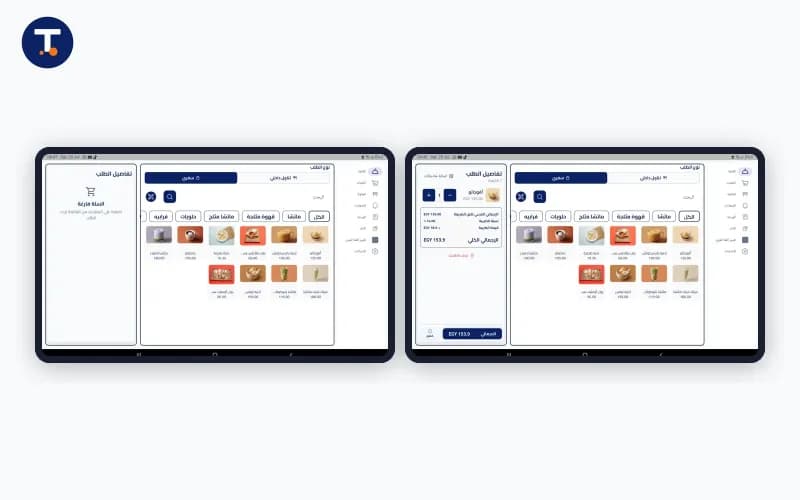
    TtaKkaa Cashier POS application screen

Related Blogs

  • A Saudi e-invoice with a QR code next to a POS screen

    ZATCA e-invoicing phase 2: what we learned integrating POS and inventory systems with Fatoora

    No feature is requested by a Saudi merchant before “is the system connected to ZATCA?”. Phase 2 of e-invoicing (integration) turned the invoice from a printed slip into a digitally signed XML document reported to the Zak…

    09/11/2026 — 9 min read

  • Flutter-built POS application

    Flutter for POS systems: offline-first done right

    POS apps do not run in perfect conditions. The internet drops, power cycles, and the branch still must sell. This note captures the pattern we use on TtaKkaa Cashier to keep operations smooth regardless of connectivity.T…

    11/05/2024 — 8 min read

  • Pragmatic SOLID in Laravel 11

    Clean repositories and services in Laravel 11 — pragmatic SOLID

    Everything here comes from shipping dozens of real-customer APIs. The goal is not "SOLID for its own sake"; it is two things: testable code and clear layers that never mix.The layer cake we default toRoute: endpoint name…

    12/14/2024 — 13 min read